
A PNGTuber maker that comes with the characters.
Free to download, and the avatars are already in it. Every other PNG Tuber maker is an engine you bring your own art to — this one arrives with drawn characters and their expression sheets, ready to install.
Straight answer
- Worth it ifyou don't have the art yet, and would rather not commission or draw it.
- Worth it ifyou want a character with more than two faces — a sheet of expressions rather than a talking state and a quiet one.
- Not worth it ifyou already have art you like. The free PNGTuber tools drive your own images well, and this one does not import them.
What "free" means here, exactly
Most free PNGTuber makers are free because they hold no art — you bring your own. This one is free to download and comes with characters, so it is worth being precise about where the line falls.
- Free
The app itself
Download it, install it, use it for as long as you like. No trial, no watermark on the avatar, and no subscription sitting on top of it.
- Free
40 credits to start
Enough to draw 2 characters of your own, and 20 more credits arrive each month without paying anything.
- Not free
Marketplace avatars, and drawing past the grant
A character somebody drew costs what it costs, once, and is then yours. Drawing a new one in the app is 20 credits after the free ones are spent.
If what you want is a free PNG file to drive in a tool you already have, this is the wrong page — those are avatar packs, not software, and this app does not import them.
PNGTuber means three different things
The word covers everything from two PNGs in a free tool to a fully rigged model, which is why searching for PNGTuber software returns products that have almost nothing in common. Here is where this one sits.
- The classic
Two drawings and a mic
Mouth closed, mouth open, swapped when your microphone crosses a threshold. No tracking, no rig, nothing to learn. It has put thousands of people on stream and it still works.
- The other end
A rigged model
One drawing cut into layers and rigged joint by joint, then driven by tracking. It moves beautifully. It also costs a commission or a month of learning, which is usually the reason people search for PNGTubing instead.
- What GetGuise is
A character and its expressions
A drawn character plus a sheet of faces it can hold. There are no layers to cut and no rig to build — the art arrives finished, and your expression picks which face shows.
Nothing here is an upgrade path. They are three different trades between effort, money and how much the character can do.
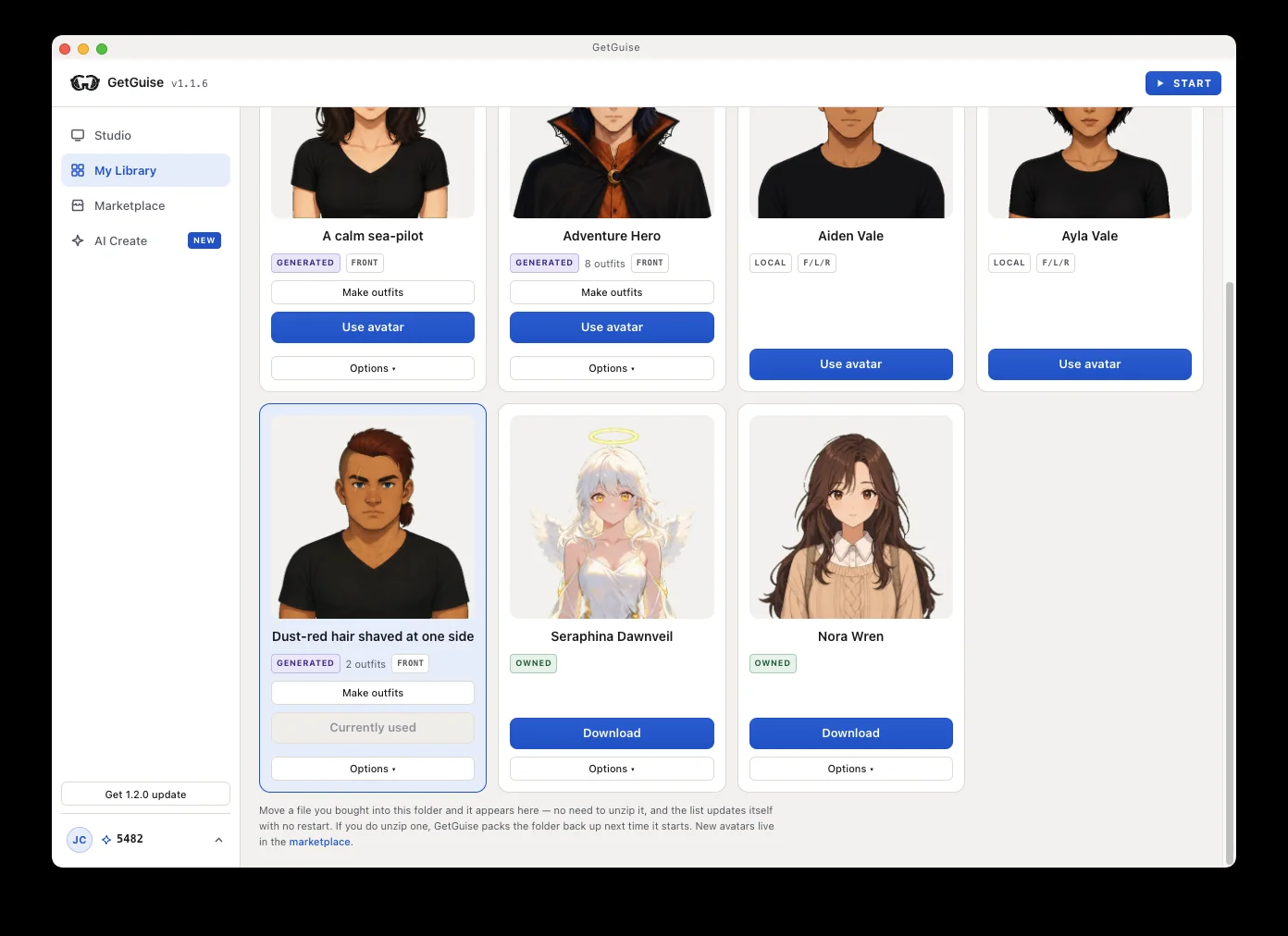
Buy one that already exists
The Marketplace is finished characters with their expression sheets already drawn. You pay once and the files are yours — no subscription sitting on top of an avatar you own.
Describe one nobody has
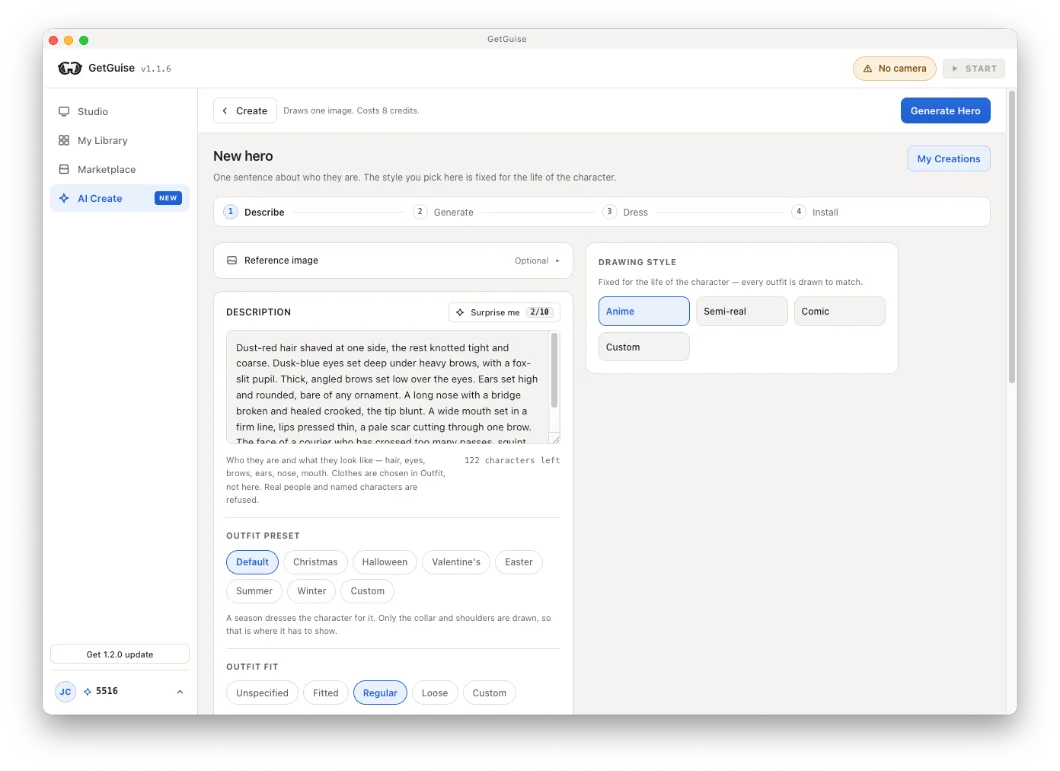
Write a sentence about who they are and Create draws the character, then draws its expression sheet. 20 credits for both, and a draw that fails is refunded rather than argued about.
What it asks of you
- Once
Twenty seconds of calibration
Neutral, smile, open mouth. It measures you rather than the character, so it carries over to every avatar you ever install.
- Every frame
Stays on your PC
Frames are read and discarded locally. Nothing from your camera is uploaded, and the app runs with no connection at all.
- Never
Art you have to source
No commission, no artist queue, no folder of PNGs to prepare. The character and its expression sheet arrive together, finished.
On stream, it is just a window
Whatever kind of avatar you end up with, OBS and Streamlabs treat it the same way — as a source. This one needs no plugin.
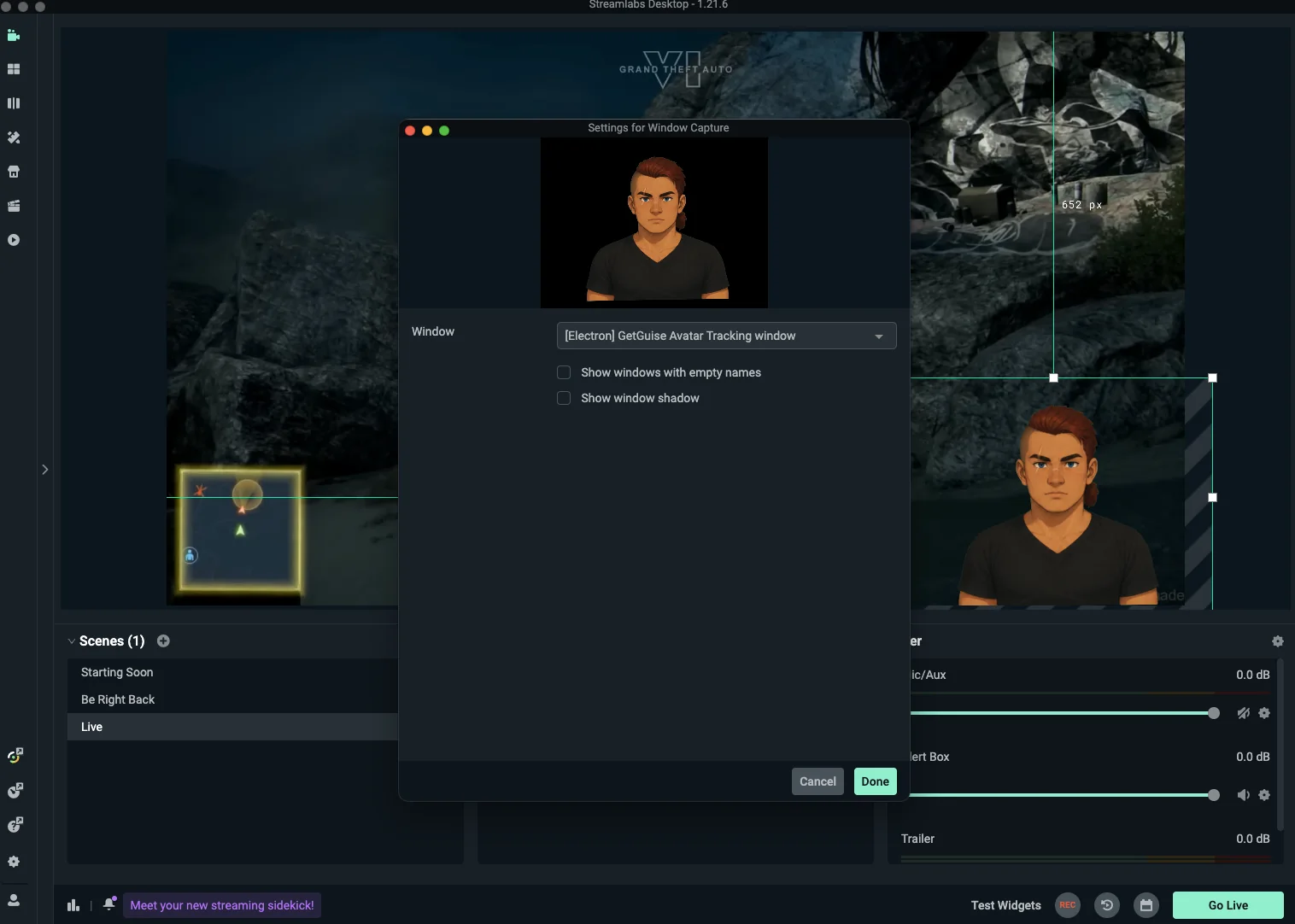
- Step 1
Float the avatar window
The overlay is a real window with a transparent background. Always-on-top keeps it above your game and your browser.
- Step 2
Add a Window Capture
In OBS or Streamlabs, point a Window Capture at the GuiseApp avatar window. There is no plugin and no browser bridge to configure.
- Step 3
Crop it and leave it
Trim the chrome, drag it where it belongs, and it keeps drawing for the rest of the stream.
Not sure a PNGTuber is what you want yet?
The guide covers every route — drawing it yourself, commissioning it, the free tools, and generating one — with what each costs in time and money. It does not end on a download button. If you are still weighing it against the tracked kind, PNGTuber vs VTuber is the comparison.
Free to download, characters included.
The app costs nothing and the marketplace avatars are yours once bought. Credits only pay for drawing a character that does not exist yet.